Model Context Protocol(MCP)
SeekClaw 作为 MCP Client 连接外部 Server,并把发现的工具和 Prompt 注册到 Runtime。当前实现 MCP 协议版本 2024-11-05。
支持范围
- stdio:启动本地子进程,通过 stdin / stdout 交换 JSON-RPC 2.0 消息;
- SSE:连接 Server-Sent Events 地址,并使用 Server 声明的 POST 端点发送请求;
- 自动调用
tools/list并把工具注册到IToolRegistry; - 自动调用
prompts/list,支持的 Server 可通过prompts/get提供 Prompt; - Client 能列出资源,但当前
McpManager不会把资源自动注入 Agent 上下文; http与websockettransport 名称已保留,但尚未实现。
在 Desktop 中配置
打开“设置 → MCP”,可以添加全局或当前工作区 Server,设置 transport、命令 / URL、参数、环境变量和启用状态,然后“保存并重载”。
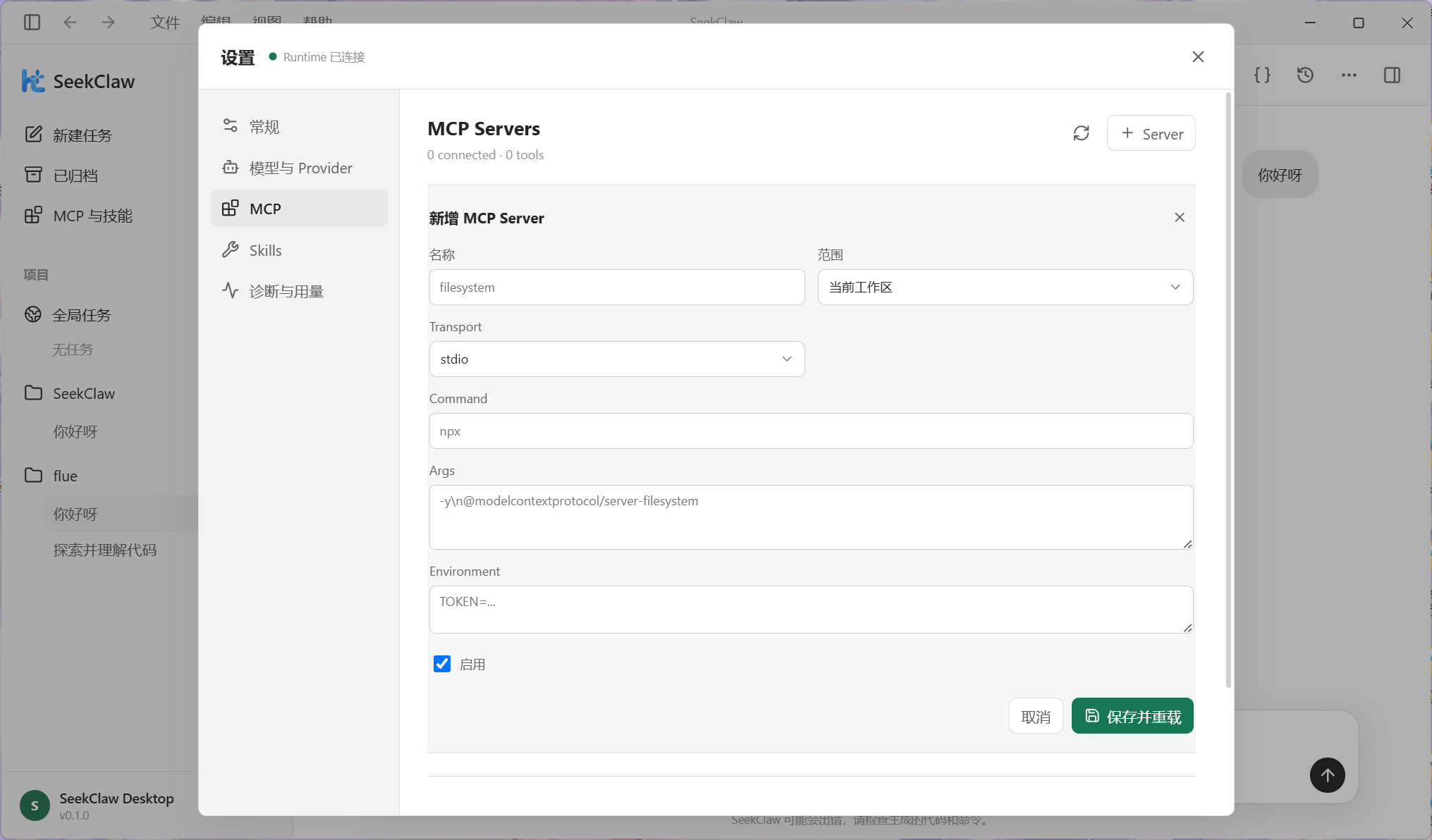
Desktop 查询现有配置时只返回环境变量键名,不返回敏感值。编辑已有 Server 时,需要重新填写希望保存的环境变量内容。
JSON 配置
全局 Server 可放在 ~/.seekclaw/config.json 的 mcp.servers 中。工作区可使用 .seekclaw/mcp/servers.json 或 .seekclaw/config.json 的 mcp 字段;工作区同名配置覆盖全局项。
{
  "servers": {
    "filesystem": {
      "transport": "stdio",
      "command": "npx",
      "args": ["-y", "@modelcontextprotocol/server-filesystem", "E:\\Project"],
      "env": {
        "TOKEN": "..."
      },
      "enabled": true
    },
    "remote-tools": {
      "transport": "sse",
      "url": "https://mcp.example.com/sse",
      "enabled": true
    }
  }
}
当前 McpServerConfig 不包含 autoConnect 或自定义 HTTP headers 字段。
连接与重载
Daemon 会先建立 IPC 监听,再在后台串行初始化 MCP。工作区切换、配置保存和 mcp.reload 会先注销旧工具与 Prompt、关闭旧连接,再加载新配置,避免残留重复注册。
CLI 可用于检查:
seekclaw mcp list
seekclaw mcp test
mcp test 连接所有启用的 Server,并显示连接状态与工具数量。Desktop 提供等价的可视化状态与重载入口。